

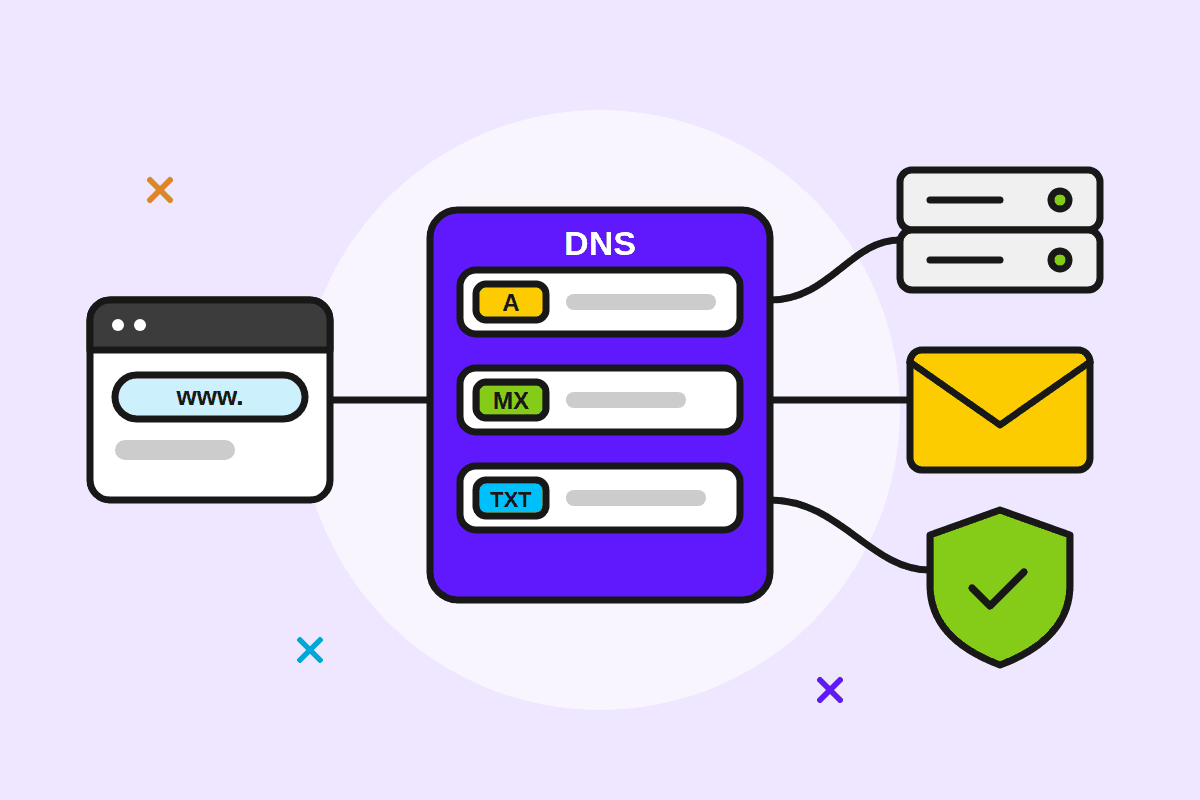
DNS is the internet's phone book: it turns your domain name into the address of the server that hosts your website, and it tells the world where to deliver your e-mail. Here's a plain-language explanation of nameservers versus DNS records, how to point your domain to your hosting, and which mistakes to avoid.
Nameservers vs. DNS records: two different levels
Most confusion comes from mixing these two up.
- Nameservers answer the question "who keeps the DNS for this domain?" You set them at your registrar, the company you bought the domain from. They usually look like
ns1.example.roandns2.example.ro. - DNS records (A, CNAME, MX, TXT...) answer "where is the website, and where does e-mail go?" You edit them in the DNS zone, at whichever provider's nameservers you're using.
In short: nameservers point to a DNS provider, and the records in that provider's zone point to servers. Once you change nameservers, your old records stop being used. Only the records in the new provider's zone count.
The DNS record types you'll actually use
| Type | What it does | Example |
|---|---|---|
| A | Maps a name to a server's IPv4 address | example.ro → 203.0.113.10 |
| AAAA | Same as A, but for an IPv6 address | example.ro → 2001:db8::10 |
| CNAME | Makes one name an alias of another name | www.example.ro → example.ro |
| MX | Says where the domain's e-mail is delivered (with a priority) | example.ro → 10 mail.example.ro |
| TXT | Text used for checks and e-mail: SPF, DKIM, DMARC, Google verification, etc. | v=spf1 ... ~all |
| NS | Lists the nameservers of the domain or of a delegated subdomain | ns1.example.ro |
The addresses above are fictional ones reserved for documentation. Use the values your hosting provider gives you.
How to point your domain to your hosting
There are two ways. Pick one, not both.
Option 1: change the nameservers (the simplest)
- Find your package's nameservers in the hosting activation e-mail or in the client area.
- At your domain registrar, open the domain settings and look for "Nameservers" or "DNS servers".
- Replace the old nameservers with the new ones. Enter all of them, usually at least two.
- Save and wait for propagation (see below).
The advantage of this option: your hosting control panel creates the website and e-mail records for you.
Option 2: keep the nameservers and change only the records
This suits you if you already use a separate DNS service or have other services on the domain, such as e-mail with another provider. Then:
- Change the A record for
example.ro(often shown as@) to your hosting's IP address. - Set www as a CNAME to
example.ro, or as an A record to the same IP. - Leave the e-mail MX and TXT records alone if your e-mail is staying where it is.
TTL and propagation: why "it's not showing yet"
Every DNS record has a TTL (time to live): the number of seconds other servers are allowed to keep the answer in their cache. A TTL of 3600 means one hour. As long as an internet provider has the old answer cached, its users reach the old server.
That's what people call "propagation". It isn't a wave spreading across the internet, just those caches gradually expiring. In practice:
- Changed records usually update within the old TTL.
- A nameserver change takes longer, because the registry's NS records are cached too. Expect anything from a few hours to 1–2 days.
- Handy trick: a day before a planned move, lower the TTL to 300 seconds (5 minutes). You can raise it again afterwards.
- You can see what different servers around the world return with an online DNS checker, or with the command
nslookup example.ro.
Common mistakes and how to avoid them
- Editing the wrong DNS zone. You changed records at the registrar, but the domain uses your hosting's nameservers, or the other way round. Check which nameservers are active first.
- Losing e-mail when you switch nameservers. If your e-mail is with another provider (for example Google Workspace or Microsoft 365), copy its MX and TXT records into the new zone before you switch.
- Putting a CNAME on the root domain. The DNS standard doesn't allow a name with a CNAME to have any other records. The root domain always has NS and SOA records, so use an A record there (or "CNAME flattening", if your DNS provider offers it).
- Pointing MX at a CNAME or an IP address. An MX record must point to a name that has an A or AAAA record.
- Having two SPF records. A domain can have only one TXT record starting with
v=spf1. With two, the SPF check fails. Merge them into one. - Forgetting www.
example.roandwww.example.roare different names, and each needs its own record. - Panicking after 10 minutes. If your settings are right, you usually just need to wait for the caches to expire.
In short
- Nameservers choose who keeps your DNS. Records say where your website and e-mail go.
- A = IP address, CNAME = alias, MX = e-mail, TXT = checks and SPF/DKIM/DMARC.
- Lower the TTL before a move, and be patient with propagation.
- Keep your MX and TXT records when you change nameservers.
Got a new domain, or want to connect it to a web hosting package? If you're not sure what to change, e-mail us at [email protected] with your domain name and what you want to achieve.





